


Registration for Session 1 opens May 1 - June 19
-
Registration for Session 1 Physical Education ENDS Monday, June 5
Registration for Session 2 opens June 20 - July 21
-
Registration for Session 2 Physical Education ENDS Friday, July 3
Students register for ONE class per Session in ParentVue
Please follow the directions in Orientation for enrolling in additional classes in a Session - Do NOT use ParentVue
Students taking Physical Education should register for this class first
Please read through the Summer School Information before registering
Summer School Information is available on the summer.psdschools.org home page:
- on the green bar on a desk/laptop
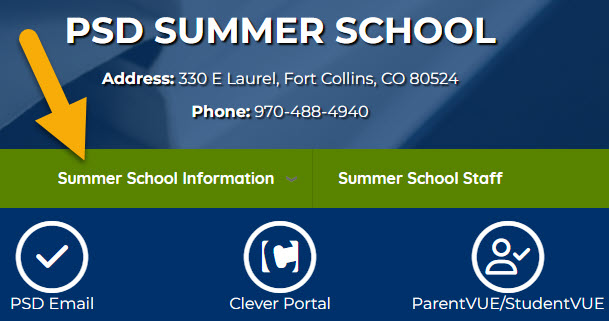
- or under the 3 menu bars in the upper right corner of a mobile device
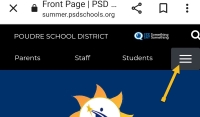
Registration will be through ParentVue in the Poudre School District Online Enrollment Account Access Login.
Students can not register through StudentVue.
Please contact your school counselor if you need assistance in registering for classes.
Parents Will:
- Log in to the ParentVue system
- Select the Secondary Summer School Session
- Follow the directions to complete the registration
-
NOTE: Session 2 registration opens June 20
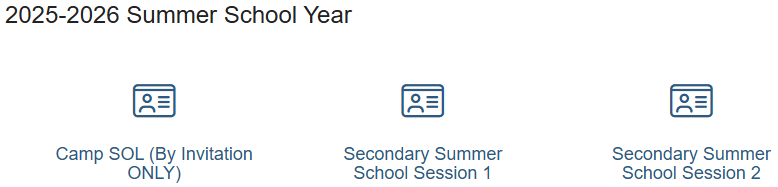
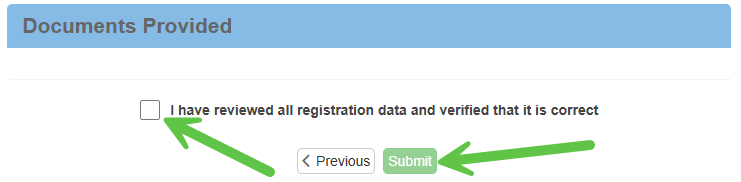
Please make sure that you complete the Review/Submit at the end.
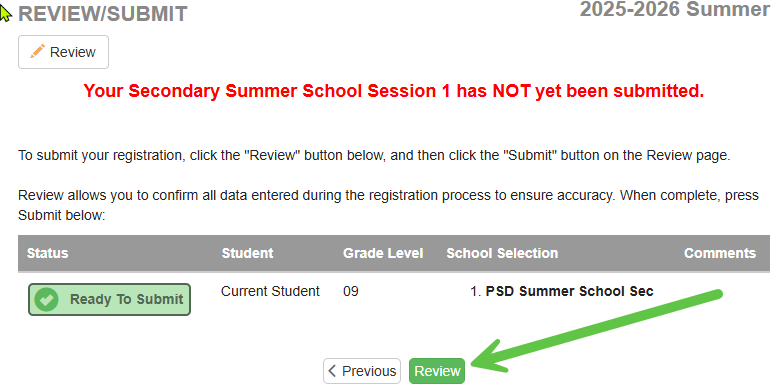
ParentVue: https://pvue.psdschools.org/PXP2_Login.aspx
Troubleshooting
Validating Data
Click on the Registration button in the upper right corner. If you still haven't validated your data, please do so now.
Deleting Registration
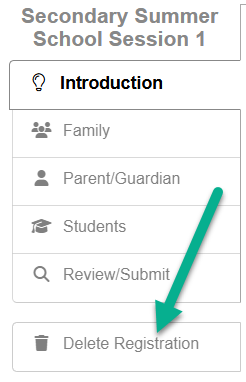
If you have an active registration in the system, it may interfere with completing the summer school registration.
Please click on Delete Registration on the left-hand menu. This will not impact any current school registrations.
Multiple Students
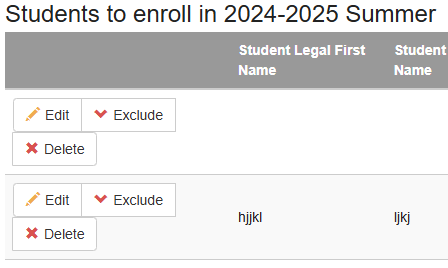
Please register one student at a time. Exclude any of your other students from this registration.